


What is CE Passport?
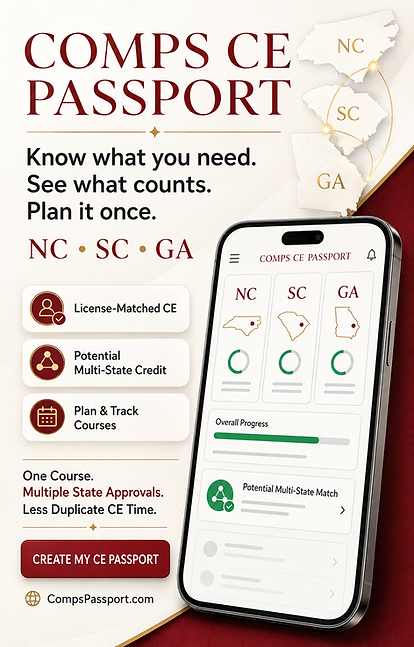
Know what you need. See what counts. Plan it once.
COMPS CE PASSPORT is a private continuing-education planning and recordkeeping tool for real-estate professionals managing North Carolina, South Carolina, and Georgia licenses.
Use your Passport to organize your user-entered renewal dates, review verified requirement information maintained by Comps Academy, find upcoming courses matched to your licenses, and build a CE plan in one convenient place.
When a Comps Academy course has separate active approvals in more than one of your states, the Passport can identify a potential multi-state match—helping you recognize opportunities to reduce duplicate CE time.
With COMPS CE PASSPORT, you can:
-
Record one or more real-estate licenses
-
Review potential remaining requirements
-
Find verified Comps Academy course matches
-
Compare state-specific and multi-state course opportunities
-
Save upcoming courses to your CE plan
-
Record completed education
-
Access available Comps-issued certificate links
-
Register through the appropriate Comps Academy course page
-
COMPS CE PASSPORT is an educational planning and personal recordkeeping tool. It does not replace official commission licensing records or guarantee that a course will satisfy a particular requirement.
How to Use the Passport?
Getting started is simple. Watch Foxy’s short video tour or follow these three steps
Three Simple Steps
1. Add Your Licenses
Enter each North Carolina, South Carolina, or Georgia license you hold. Select your license type and add your renewal or cycle-end date. A license number is optional.
Your Dashboard will organize your licenses, display the dates you entered, and show the published requirements that may apply to each license type.
2. Find Courses and Build Your Plan
Visit Find Courses to review verified upcoming Comps Academy offerings matched to your state, license type, delivery format, and potential remaining requirements.
You can also explore separately approved multi-state courses that may apply to more than one of your licenses. Save the offerings you are considering to My Plan, then register through the applicable Comps Academy registration page.
Adding a course to My Plan does not register you for the course. Registration is completed separately through the course’s external registration link.
3. Record Your Completed Education
After completing a course, add it to My Passport. Record the course topic, instructional hours, applicable state-credit classifications, and states for which you are claiming credit.
Comps Academy certificates will appear when a certificate link has been issued and attached to your completion. Manually entered courses remain clearly identified as user-recorded and not verified by Comps Academy.
Your Passport helps you stay organized throughout the process—from identifying a potential requirement to planning, registering, completing, and preserving your education record.
Create My CE Passport
Ready to make continuing-education planning easier?
Create your private COMPS CE PASSPORT and bring your licenses, renewal dates, course plans, completed education, and available certificates together in one organized place.
You do not need your license number to get started. Create your account, select your primary state, add any additional states, and then enter each license you want to manage.
Know what you need.
See what counts. Plan it once.
Already have a Passport? Sign In
The information displayed in your Passport is based on the records and dates you enter and the verified requirement and course-approval information maintained by Comps Academy. Always confirm your official license status and requirements directly with the applicable real estate commission.